
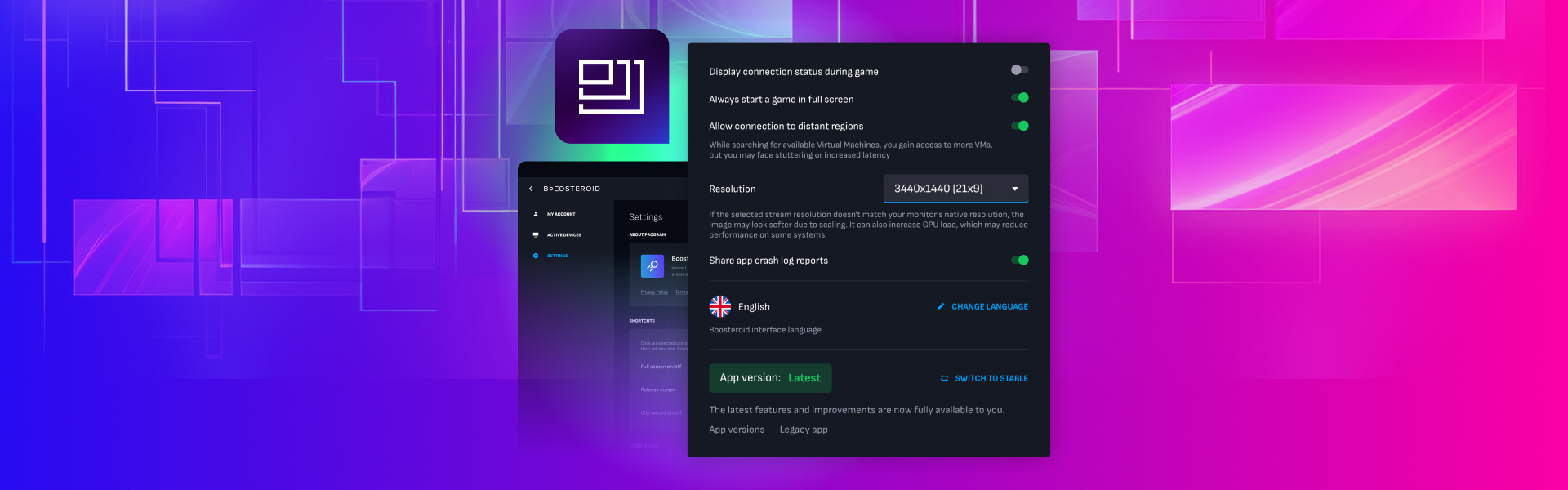
Introducing Resolution Selection on the Boosteroid Windows App
We’re constantly working to give gamers more control over their cloud gaming experience – and today, we’re excited to roll out a brand-new feature: customizable screen resolution on the Boosteroid Windows app.
With this update, you can now choose your preferred streaming resolution directly from the app’s settings
How to Set Your Resolution
It only takes a few clicks:
- Open your User Profile in the Boosteroid Windows app.
- Head to Settings from the left-side menu.
- Scroll to the Advanced Settings section on the right.
- Locate the Resolution dropdown and pick your desired resolution.
Your new preference will automatically apply to the next gaming session you launch.
Choosing the Right Resolution
For best performance and image quality, we recommend selecting a resolution that matches your local display’s native settings. Higher resolutions require more internet bandwidth and local system resources for smooth performance.
If you’re gaming on a smaller screen or a network with limited capacity, a lower resolution can still deliver a seamless experience with less strain on your connection.
Coming Soon to Other Platforms
For now, resolution selection is available exclusively on the Boosteroid Windows app, but don’t worry – we’re already working to bring it to other platforms in upcoming updates. This is part of our broader commitment to making Boosteroid more flexible, adaptive, and player-focused than ever.
Stay tuned for more platform updates and performance enhancements rolling out throughout 2026.